
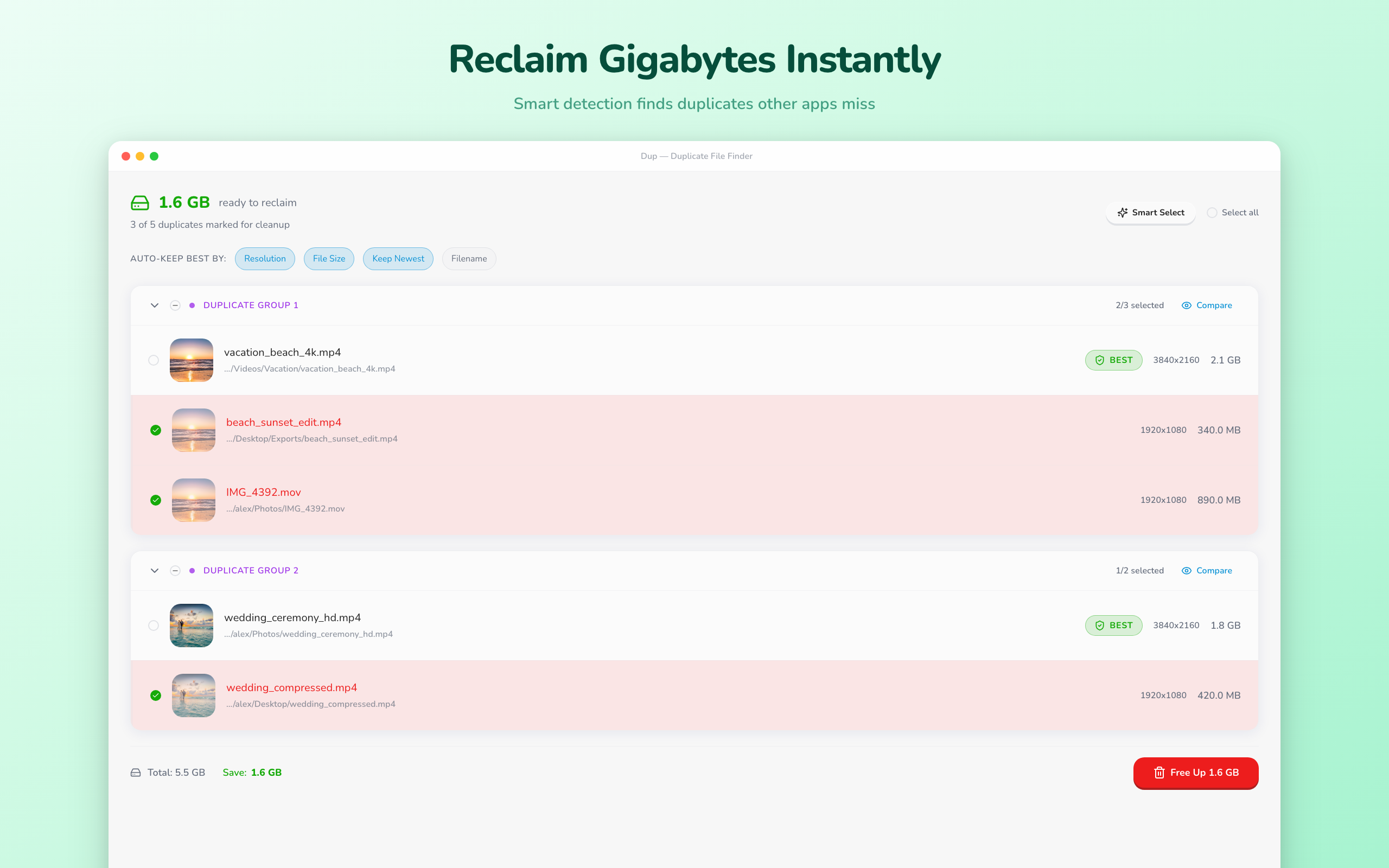
Finds duplicates
other apps miss.
Find similar photos & videos, remove someone from your library, and clean dev caches — all on your Mac, 100% private.
12+ TB reclaimed by Dup users · Free to try · macOS 13+

Five tools, one app
Everything you need to keep your Mac clean, your library organized, and your storage healthy.
Find Duplicates
Similar photos & videos other apps miss — across codecs, resolutions, and formats.
Learn more ↓Remove Someone
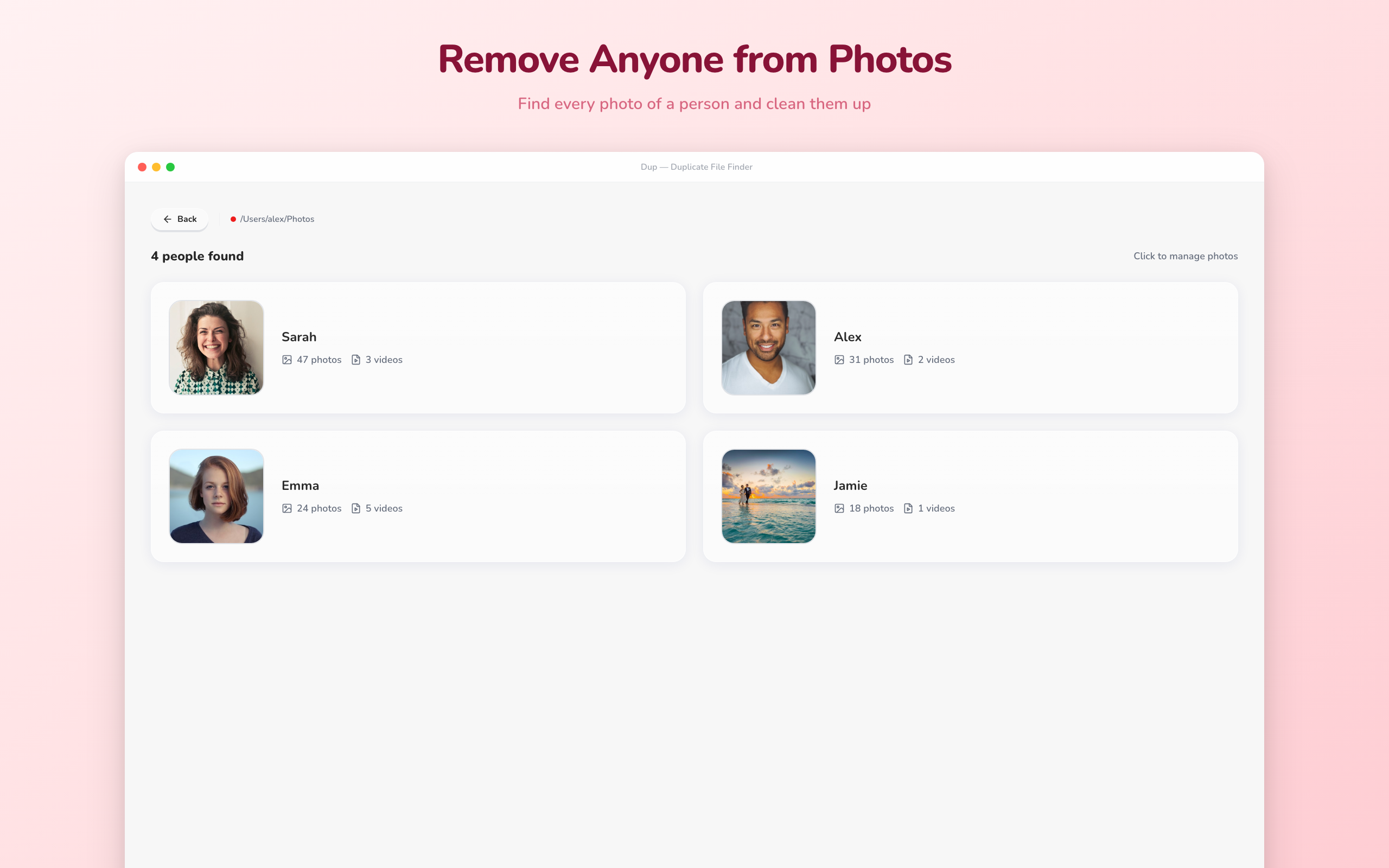
Face detection finds every photo & video of a person. Delete them all in one click.
Learn more ↓Clean Dev Caches
Xcode, npm, Cargo, pip — reclaim wasted storage with one click.
Learn more ↓Photo Quality
AI detects blurry, dark, and overexposed photos. Clean them up in one click.
Learn more ↓Duplicate Monitor
Watches your folders and alerts you when new duplicates appear.
Learn more ↓The video duplicate problem no one else solves
One vacation video. Three copies you don't need. Most apps see three different files.
vacation_4k.mov
4K ProRes · 2.1 GB
beach_edit.mp4
1080p H.264 · 340 MB
clip_720p.mkv
720p VP9 · 85 MB
Other apps
3 different files
Dup
Same video · ~94%
Dup samples frames throughout each video and creates a visual fingerprint. Same footage matches — regardless of codec, resolution, container, or file size.
Delete every photo & video of someone. Instantly.
Breakup? Falling out? Dup scans faces across your entire library and lets you wipe every trace — on your Mac, 100% private.
Sarah
47 files
Alex
31 files
Emma
24 files
Jamie
18 files
Scan faces
Drop a folder — Dup detects every face automatically
Pick a person
See everyone detected — choose who to remove
Delete all
Review matches and remove them all to Trash
Your node_modules are eating your SSD
Xcode DerivedData, npm caches, Cargo targets, pip — they pile up silently. Dup finds them all and cleans safely.
Before
12 GB
free on 256 GB drive
After cleanup
64 GB
free on 256 GB drive

Detect blurry photos before they pile up.
AI-powered quality analysis scores every photo for sharpness and exposure — then lets you clean up the worst in one click.
Blurry detection
Too Dark
Too Bright
Tiny

Set it and forget it.
Duplicate Monitor watches your folders in the background — hourly, daily, or weekly. When new duplicates appear, you get notified instantly.
Scheduled rescans
Hourly · Daily · Weekly
Instant notifications
macOS notifications
Runs in background
FSEvents watcher
How it works
Drop a folder
Drag any folder or pick a cloud drive to scan.
Review results
See exactly what's taking up space.
Clean up
Delete duplicates with one click. They go to Trash.
See it in action
A beautiful, intuitive interface designed for macOS.

Choose your scan mode
Finds similar files — not just exact copies
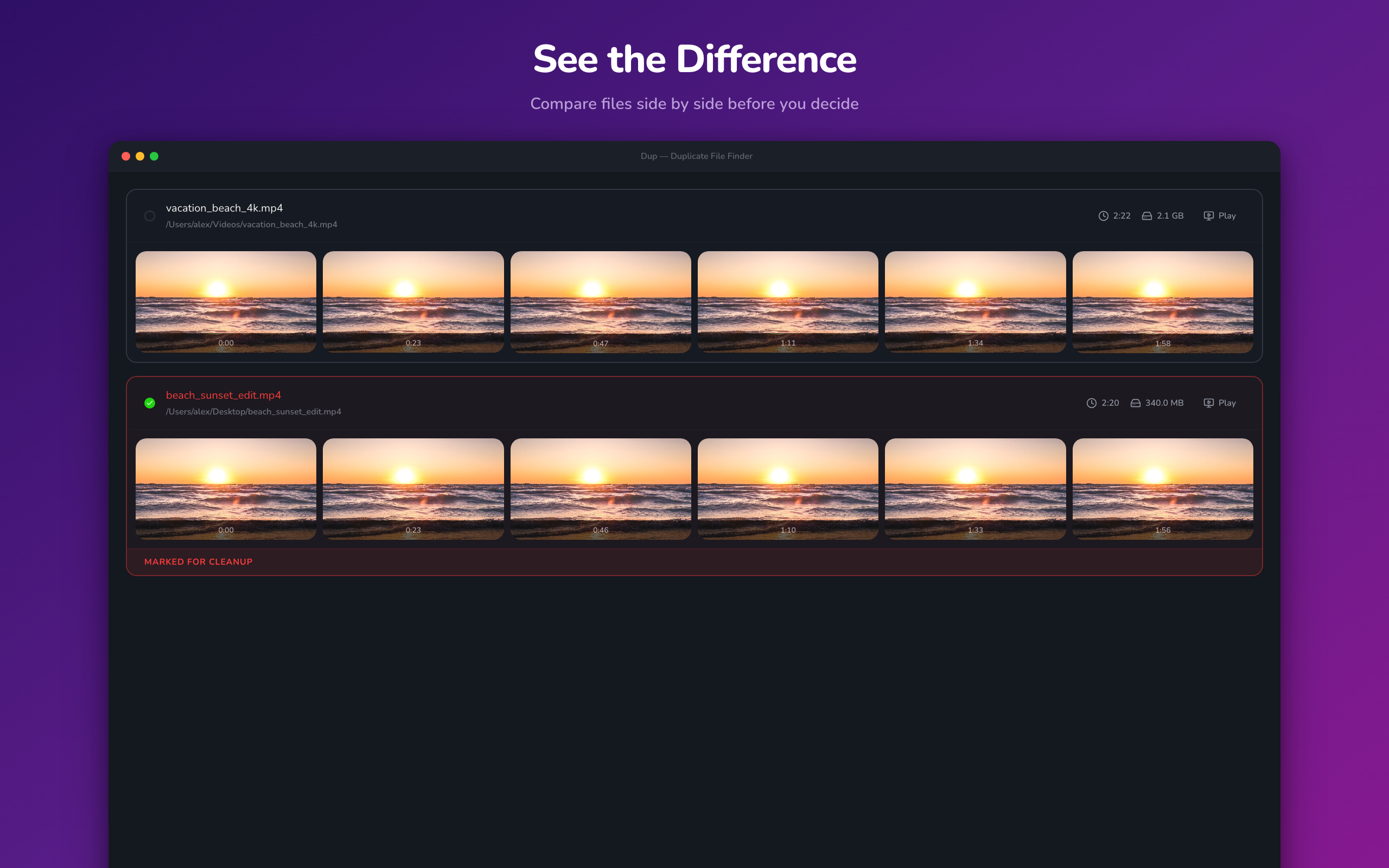
Compare duplicates side by side
Find and remove every photo of someone
Detect blurry and low-quality photos
Built for what other apps can't do
All Formats
JPG, HEIC, PNG, RAW (CR2, NEF, ARW, DNG), MP4, MOV, MKV — matches across all formats.
Smart Select
Smart Auto-Keep picks the best files based on quality, resolution, date, and size — automatically.
Cloud Support
Works with iCloud Drive, Google Drive, and Photos Library.
External Drives
Scan external hard drives and USB storage connected to your Mac.
Background Scanning
Start a scan and keep working. Dup runs in the background and notifies you when done.
Private & Secure
All processing happens on your Mac. Your files never leave your device.
Cross-Format Matching
Finds duplicates even when one is HEIC and the other is JPG, or MOV vs MP4.
Photo Quality Ratings
Rates each photo for sharpness and exposure so you always keep the best version.
Simple Pricing
Start free. Upgrade when you need more.
Free
$0
- Duplicate detection
- Delete to Trash
- Cross-Format Detection
- 250 MB cleanup limit
- — Smart Select
- — Remove Someone
- — Photo Quality Scan
- — Cloud drive support
- — Folder Monitor
Pro
7-day free trial · just $0.07/day
- Duplicate detection
- Delete to Trash
- Cross-Format Detection
- Unlimited cleanup
- Smart Select
- Remove Someone
- Photo Quality Scan
- Cloud drive support
- Folder Monitor
Lifetime
Pay once, yours forever
- Duplicate detection
- Delete to Trash
- Cross-Format Detection
- Unlimited cleanup
- Smart Select
- Remove Someone
- Photo Quality Scan
- Cloud drive support
- Folder Monitor
- All future updates